Which Image Compressors Upload Your File? We Checked 12, Verified 10
Last verified: 1 November 2026 ·
We checked 12 popular online image compressors and verified 10. Three sent our test image to a remote server. Seven did not send the file anywhere — three of them processed the file with the network switched off (for ReducerImage, a size estimate only), one produced its compressed result while we watched with no upload captured, and three rest on the network record alone (their rows say exactly what was and was not seen). The remaining 2 could not be fully verified — their rows below are marked “Not verified”.
Disclosure: ToolRush is our own tool. It sits in this table because readers deserve the comparison — and it was tested with the same file, the same method, and the same standard as every other row.
Why this matters
Many people compress photos that contain personal details: passport and ID photos, signed forms, scanned documents. Whether a tool uploads that file is rarely obvious from its homepage, and a privacy policy describes intent, not behavior. So we looked at what actually happens when you drop a file in.
Results
| Tool | Uploads the file? | What we observed | What the site claims / policy | Verified on |
|---|---|---|---|---|
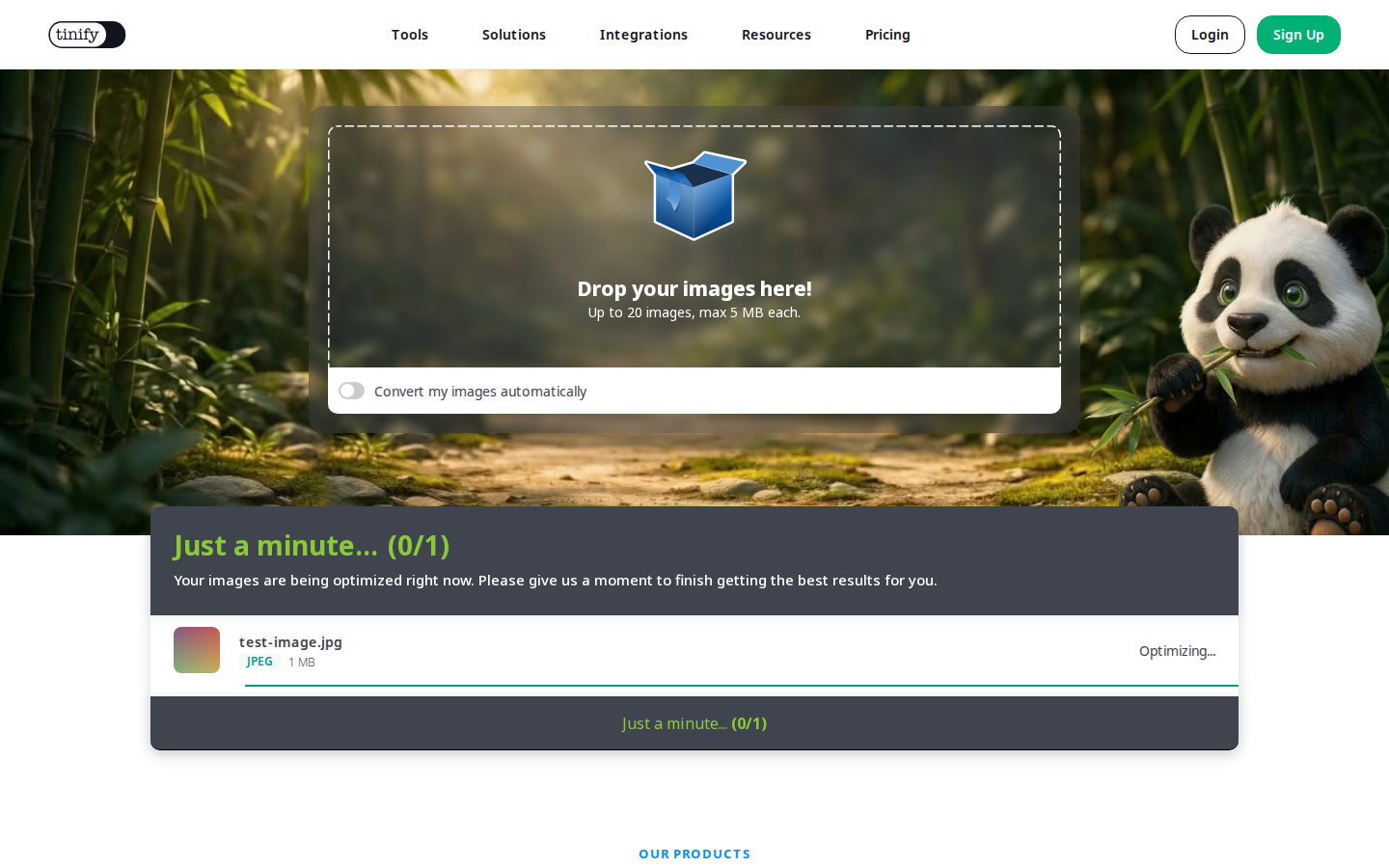
| TinyPNG | Yes | The complete test file — exactly 1,498,568 bytes — was sent in a POST request to tinypng.com's backend. | Its policy states: uploaded images are retained for a maximum of 48 hours, then permanently deleted. | 2026-11-01 |
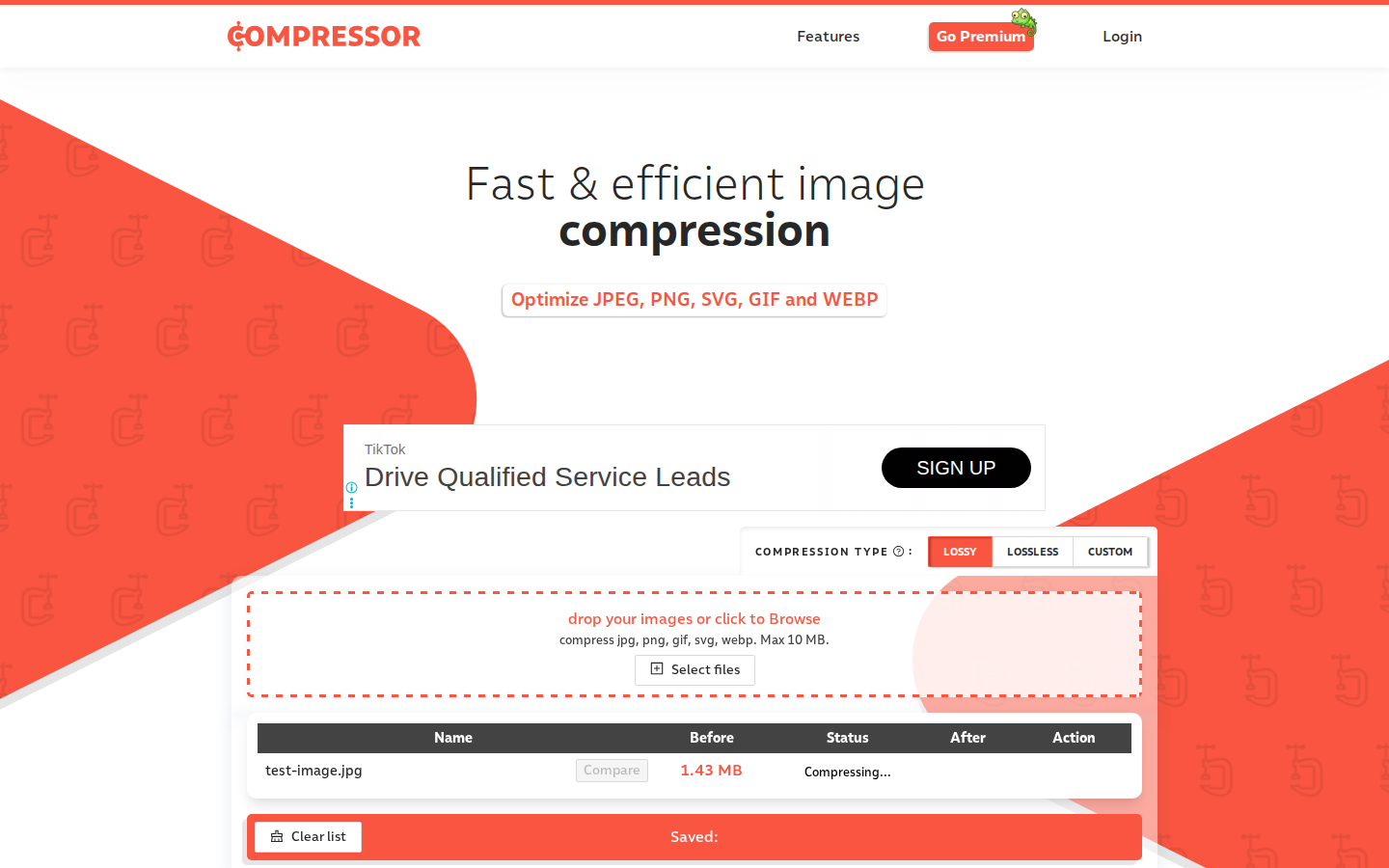
| Compressor.io | Yes | The complete test file — exactly 1,498,568 bytes — was sent in a POST request to compressor.io/app/compress, as image/jpeg. | No specific file-deletion period was found in the policy text we reviewed. | 2026-11-01 |
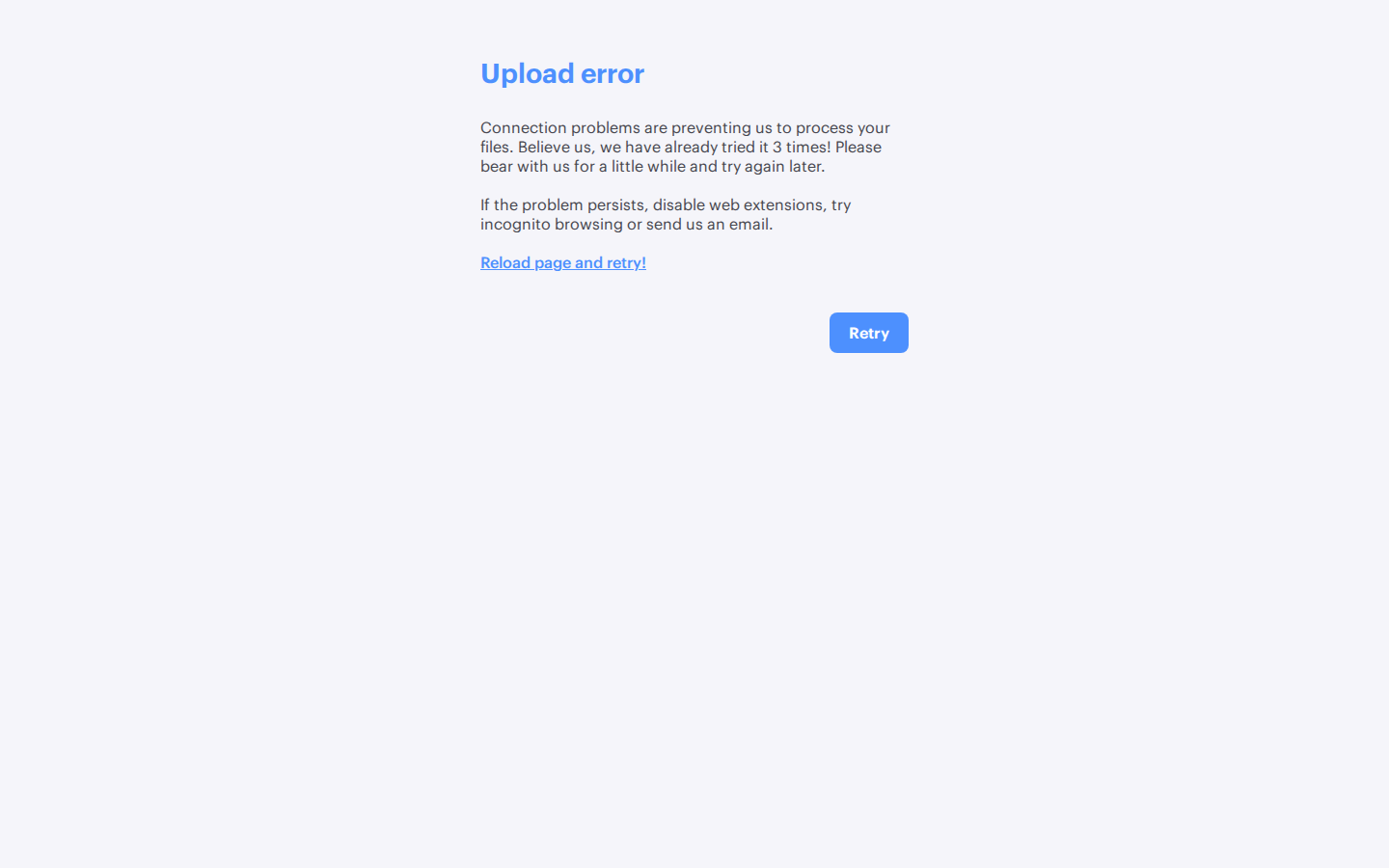
| iLoveIMG | Yes | The complete test file was sent in a POST request to the service's upload API (iloveimg.com/v1/upload — the numbered subdomain varies between sessions) — 1,499,799 bytes in total, the file plus form framing. | Its policy states: files are deleted within 2 hours of being processed. | 2026-11-01 |
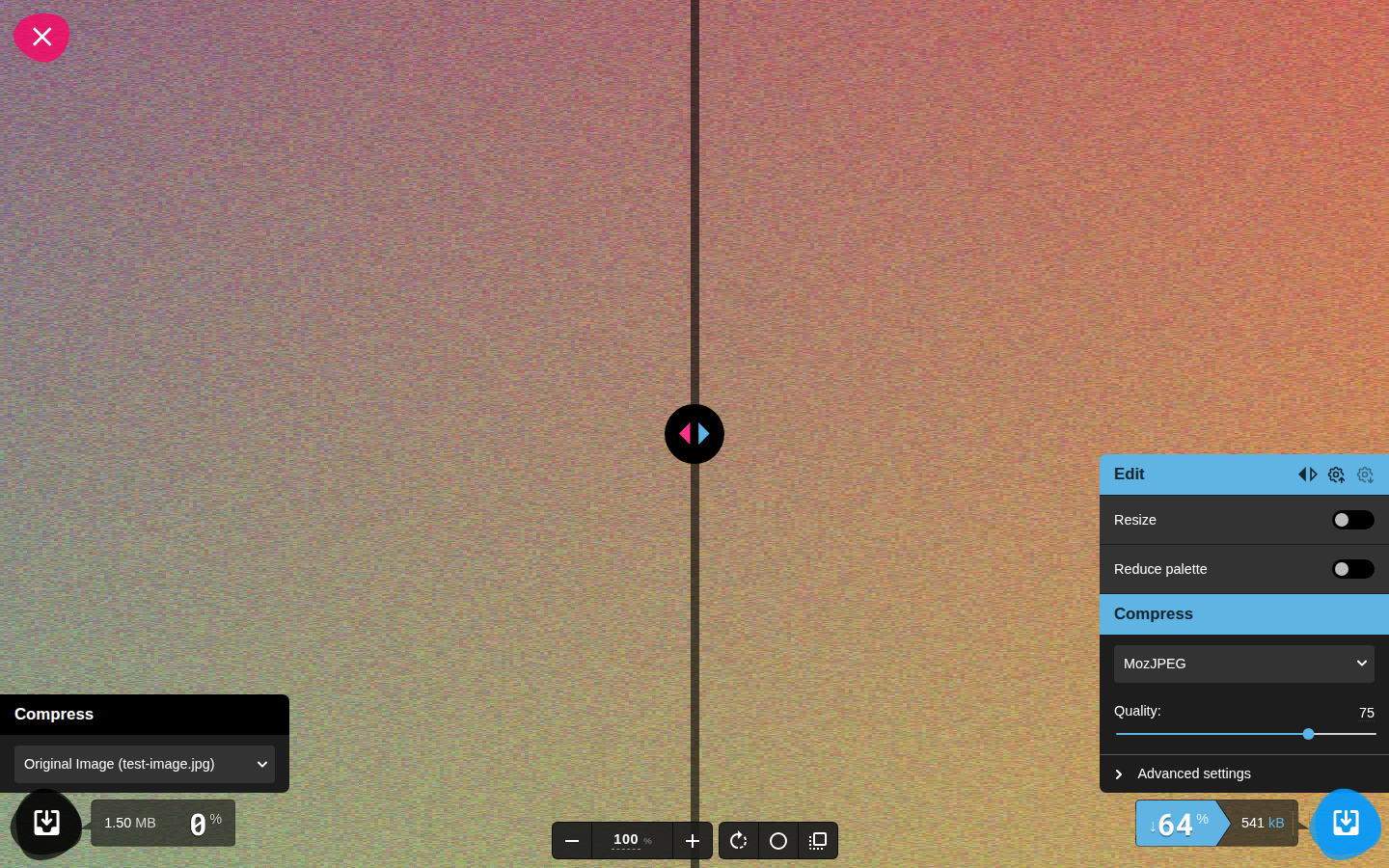
| Squoosh | No | Zero non-GET requests during the entire test; the image compressed to 541 kB (MozJPEG, default quality 75), and the editor also worked with the network switched off. | Claims images never leave your device; all processing is local. | 2026-11-01 |
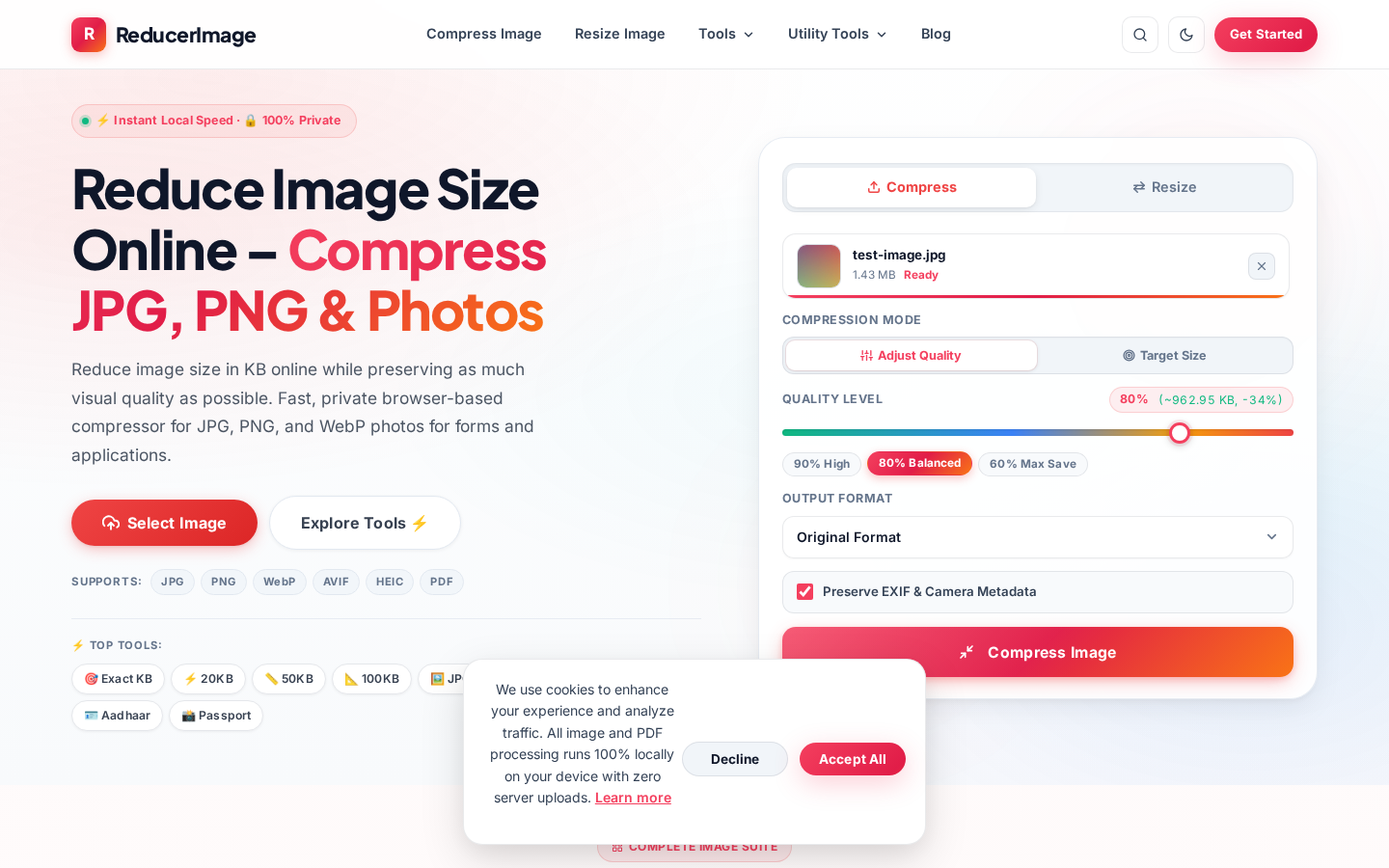
| ReducerImage | No | Zero network requests of any kind after the file was added; its size estimate was computed in the browser with the network switched off. | Claims 100% browser-based processing, with no server uploads. | 2026-11-01 |
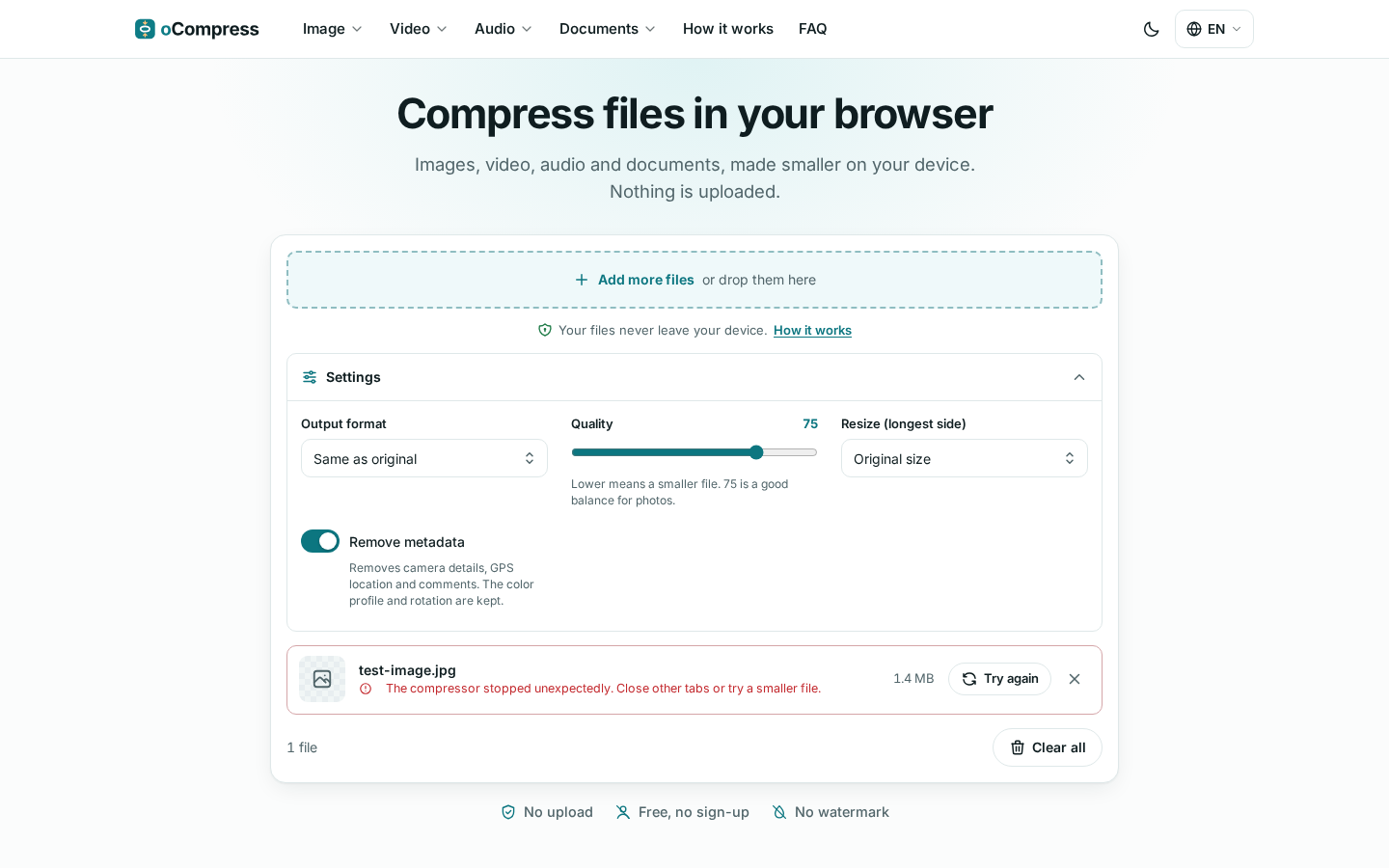
| oCompress | No (observed) | Only advertising and analytics beacons were sent (the largest was 9,438 bytes); no request carried the file. Note: its compressor module is fetched from the network when a file is added, so an offline completion test was not possible — but no file data was sent in either test. | Claims files never leave your device and are never sent to its server. | 2026-11-01 |
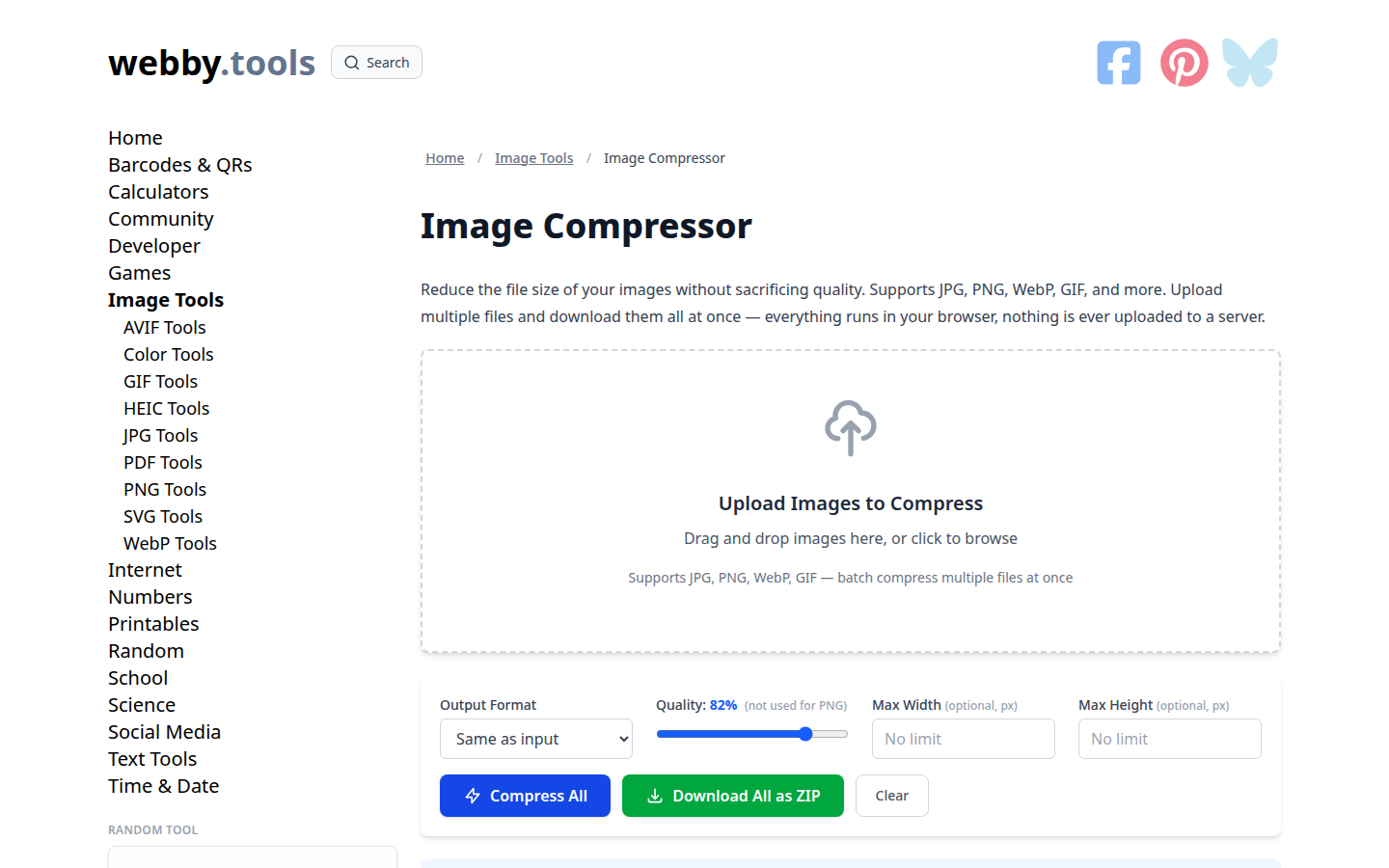
| Webby.tools | No (observed) | Only analytics and advertising beacons were sent (the largest was a 2,431-byte Google ads ping); no request carried the file. Its compressed result — 706.3 KB, 51.7% smaller — was produced in the online test while no file-carrying request was captured. | Claims local processing (Canvas API); images never leave the device. | 2026-11-01 |
| Compressto20kb | No (observed) | The only requests were error-monitoring beacons to its own domain, of 627 and 24,386 bytes — not the 1,498,568-byte test file. No request carried the file. In a standard-browser test it produced a compressed result (665.0 KB); our headless runs could not confirm the file being accepted by its interface. | Claims it runs entirely in the browser and no pixels are sent to any server. | 2026-11-01 |
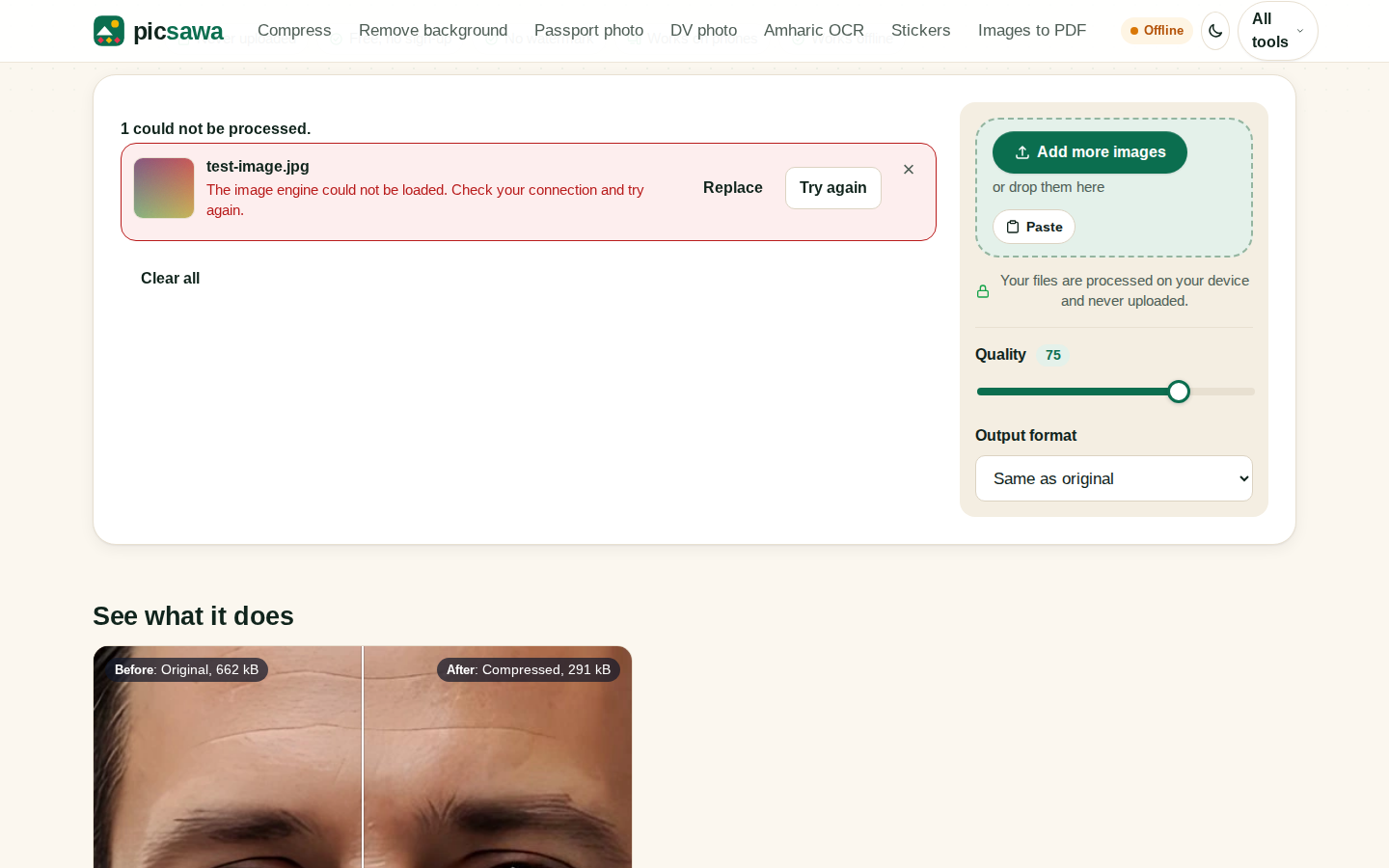
| Picsawa | No (observed) | Only tiny analytics beacons (45–52 bytes) and a performance beacon (862 bytes) were sent; no request carried the file. Note: its image engine loads on demand from the network, so an offline completion test was not possible — but no file data was sent. | Claims files are processed on your device and never uploaded. | 2026-11-01 |
| jpg.now | Not verified | We could not complete a measured test: its page never finished loading through our test connection, across several attempts and methods. That is a gap in our testing, not a result. | Its own policy text says files are processed on its servers and deleted after 24 hours. That is the site's claim — we did not measure it. | — |
| TheAITools.tech | Not verified | No image-compressor page could be located on the site during testing; the homepage and the likely tool paths serve article pages, so there was no tool to test. | The site claims its tools run in the browser (JavaScript + Canvas) with nothing uploaded. Recorded as a claim only — we could not test it. | — |
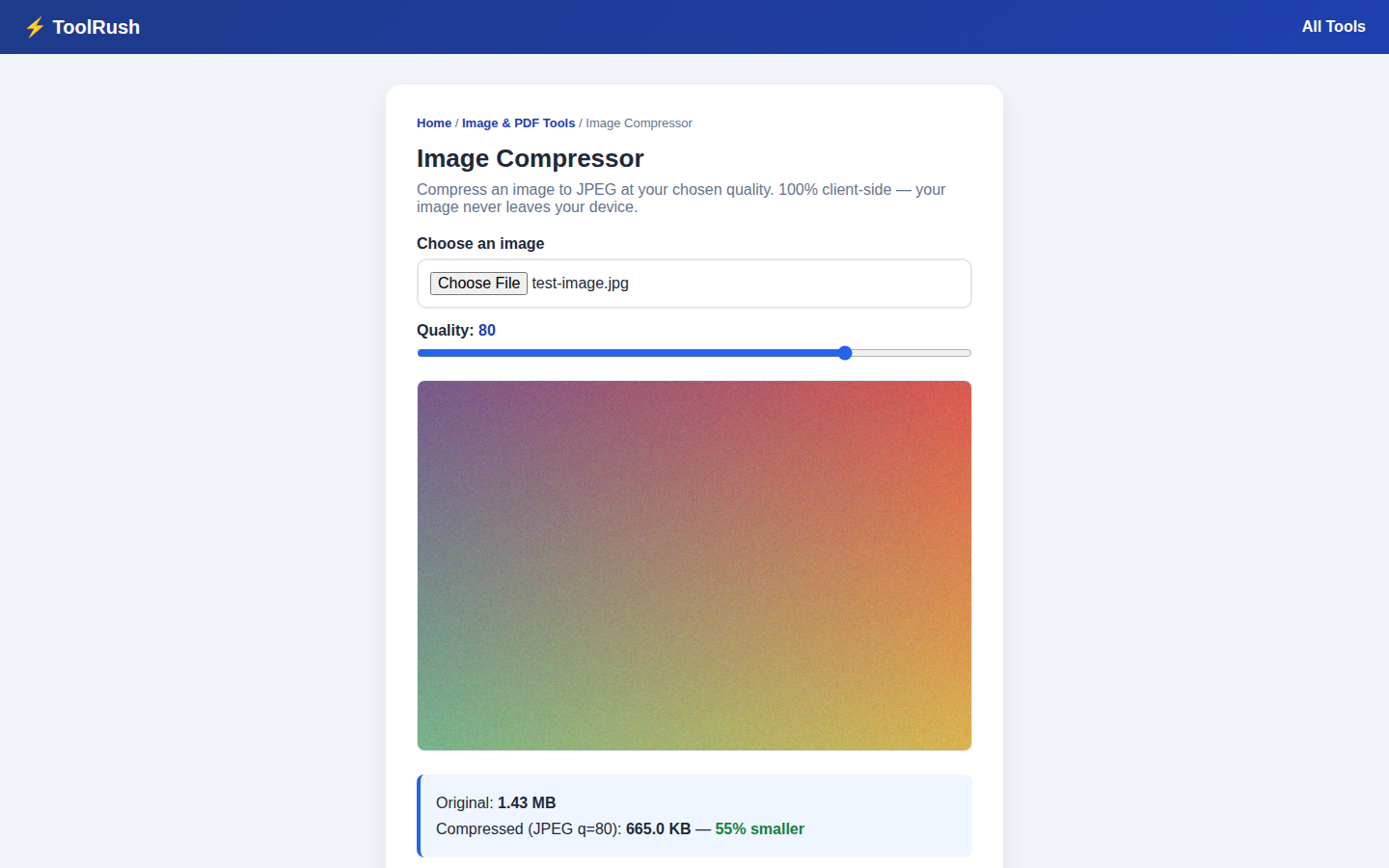
| ToolRush Image Compressor | No | No request carried the file (only small analytics beacons). With the network switched fully off, it still compressed the test file from 1.43 MB to 665.0 KB at quality 80. | States 100% client-side processing: your image never leaves your device. | 2026-11-01 |
How we tested
What we decided to measure, before testing anything: (1) does the tool send your file to a server while it compresses, (2) does it still finish the job with the network switched off, and (3) what does the site itself claim about your files. Those three questions — set in advance — are all this audit scores. Nothing else was graded, and no result was re-weighted afterwards.
Every tool was tested the same way, on 1 November 2026, using one test image for all of them: a JPEG photograph, 2400 × 1600 pixels, 1,498,568 bytes (about 1.43 MB), at each tool's default settings. While the image was being compressed, we recorded every outgoing network request the page made, including each request's size in bytes. If a request carried the file itself — or anything close to its size — the tool uploads. The tests ran in Chromium 156 (headless) on Linux, with requests captured at browser level via the Chrome DevTools Protocol. Screenshots from the tests are published as evidence: TinyPNG, Compressor.io, iLoveIMG, ToolRush (offline test), Squoosh, ReducerImage (offline test), oCompress, Picsawa (offline attempt), Webby.tools (compressed result). One limitation: a headless browser is not a normal browser — a site can behave differently in one, and two tools could not be loaded at all in ours. We report only what we observed, and we will re-test any tool at its maker's request.
We then repeated the test with the network switched off. A tool that still finishes compressing with no connection is doing the work on the device. Rows marked “(observed)” are ones where no file-carrying request appeared, but the offline run could not be completed for the reason stated in the row; in those cases the verdict rests on the network record alone.
We recorded each request's destination and size in bytes; we did not inspect the contents of any request's payload.
This audit only reports what we observed with that test file on that day. Tools change their code, so each row shows its own verification date. If you run one of these tools and believe a row is wrong, contact us at [email protected] — see Corrections below.
Check it yourself
- Open the compressor in a desktop browser.
- Press F12 and open the Network tab.
- Clear the log, then add your image.
- Look for a request (usually POST) whose size is close to your file's size.
- If you see none and compression still completes, the work is happening in your browser.
You can run the same check on the compressors here on ToolRush: the image compressor, compress image to 20KB, and compress image to 200KB — or check what happens when you convert an iPhone photo with the HEIC to JPG converter.
Tool-by-tool notes
TinyPNG
TinyPNG sent the entire test file to its backend in a single POST request of exactly 1,498,568 bytes. Its policy says uploaded images are kept for at most 48 hours before permanent deletion.
Compressor.io
Compressor.io posted the test file to its /app/compress endpoint as image/jpeg. We found no specific file-deletion period in the policy text we reviewed, so the table records the upload and nothing more.
iLoveIMG
iLoveIMG uploaded the file to its upload API before processing it — the upload request measured 1,499,799 bytes, the 1,498,568-byte test file plus multipart form framing. Its stated policy is that files are deleted within 2 hours of being processed.
Squoosh
Squoosh produced zero non-GET requests during compression. The result was 541 kB with the default MozJPEG encoder at quality 75, and the editor kept working with the network switched off.
ReducerImage
ReducerImage generated no network traffic of any kind after the file was added. Even its estimated output size was computed locally, with the network switched off.
oCompress
oCompress sent only advertising and analytics beacons; the largest was 9,438 bytes — under 1% of the test file's size. One caveat: the tool fetches its compressor module from the network when a file is added, so a fully offline completion test was not possible. No file data left the device in either run.
Webby.tools
Webby.tools sent only analytics and advertising beacons — the largest a 2,431-byte Google ads ping; nothing carried the file. In the online test its compressed result — 706.3 KB, 51.7% smaller — was produced while no file-carrying request was captured.
Compressto20kb
Compressto20kb's only traffic was beacons to its own /monitoring address, of 627 and 24,386 bytes. The larger beacon is about 1.6% of the test file's size; we measured request sizes and destinations, not payload contents, so we describe it by its size and address rather than its contents. In a standard-browser test the tool produced a compressed result of 665.0 KB. That is exactly ToolRush's output size — not a copying error: both tools encode with the browser's built-in JPEG encoder at quality 80 on the same image, so identical output is expected.
Picsawa
Picsawa sent only a handful of tiny analytics beacons (45–52 bytes) plus an 862-byte performance beacon. Its image engine loads on demand from the network, which prevented a fully offline run; in the online run, no file data was sent.
jpg.now
We could not finish loading jpg.now through our test connection despite several attempts and methods, so no measurement exists for it. Its own policy describes server-side processing with deletion after 24 hours; we record that as its claim, not as a verified result, and will update the row if a measured test becomes possible.
TheAITools.tech
During testing we could not find an image-compressor page on theaitools.tech: the homepage and the likely tool paths serve article pages. The site claims browser-based processing; with no tool page to test, the row is marked Not verified.
Where ToolRush fits
ToolRush's image compressor is listed in the table like every other tool, tested with the same method and the same test file. In the test it sent no file anywhere — and it compressed the test image from 1.43 MB to 665.0 KB with the network switched fully off.
Honestly noted: on raw output size at default settings, Squoosh did better in our test — it produced 541 KB from the same file, against ToolRush's 665.0 KB. Default quality settings differ from tool to tool, so size alone is not the whole story — but the numbers are the numbers, and they are printed here because this page reports what it measured, including where our own tool did not come first.
Frequently asked questions
Do all free image compressors upload your files?
No. Some process images in the browser, and others send them to a server. The results table shows what each tool did in our test.
How can I tell if a tool uploads my image?
Open your browser's developer tools, go to the Network tab, add your image, and look for a request close to the size of your file.
What is in-browser compression?
Your own device processes the image using code that runs on the page, so the file does not need to be sent to a server.
Is “we delete files after an hour” the same as not uploading?
No. In that case the file still reaches the server first. The statement only describes how long it is kept.
Can these results change?
Yes. Tools update their code, so every row in the table has its own verification date.
Corrections
If you run one of these tools and our result looks wrong, write to [email protected]. We will retest and update the row with the new date.